
You can use the Hevo API to create and manage Destinations for your Pipelines. To view the list of supported Destinations, use the List All Destination Connectors endpoint.
Prerequisites
- An active Hevo account. Click here to sign up for a free Trial account.
- You are assigned the Team Administrator, Pipeline Administrator, or Team Collaborator role in Hevo.
To create a Destination using the Hevo API, perform the following steps:
-
Navigate to the Create a Destination endpoint.
-
Select your Hevo account region from the Base URL drop-down.
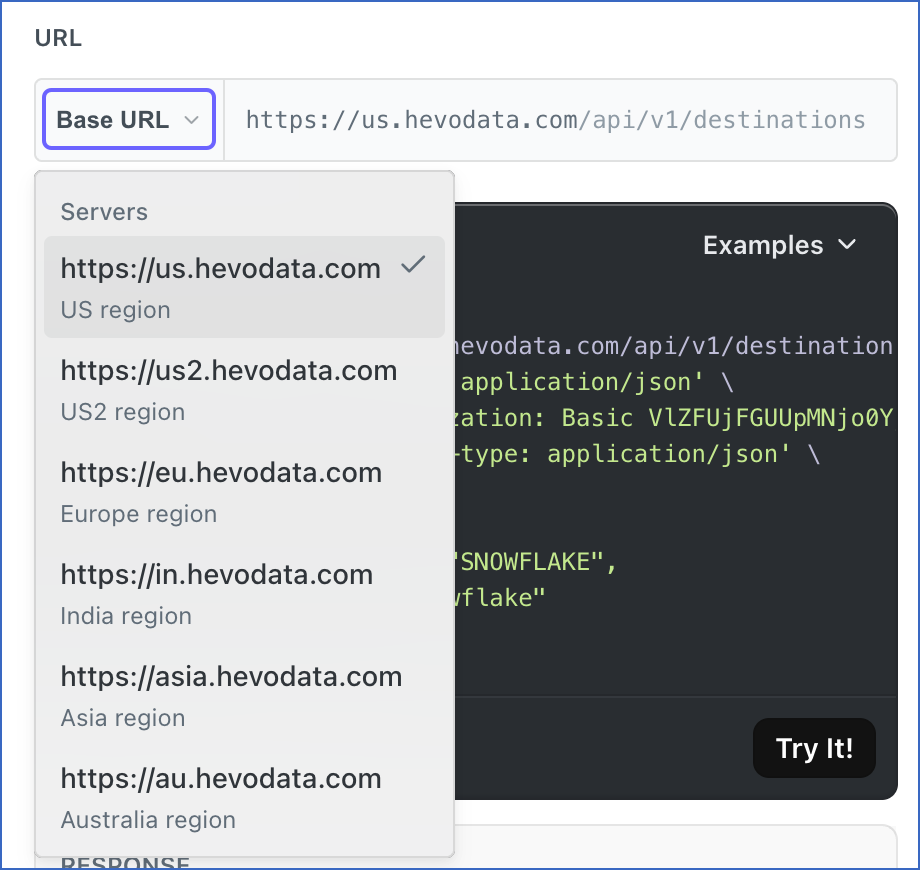
-
Provide the Basic token in the CREDENTIALS section. This token is the combination of your API key and secret key. To generate the API credentials for your Hevo account region, read Generating your API credentials.
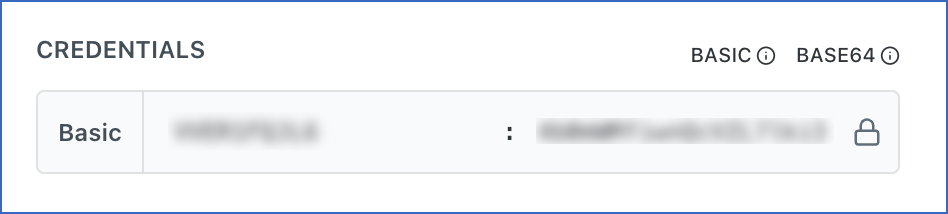
-
In the Body Params section, select the type of Destination you want to create from the drop-down. For example, snowflake.
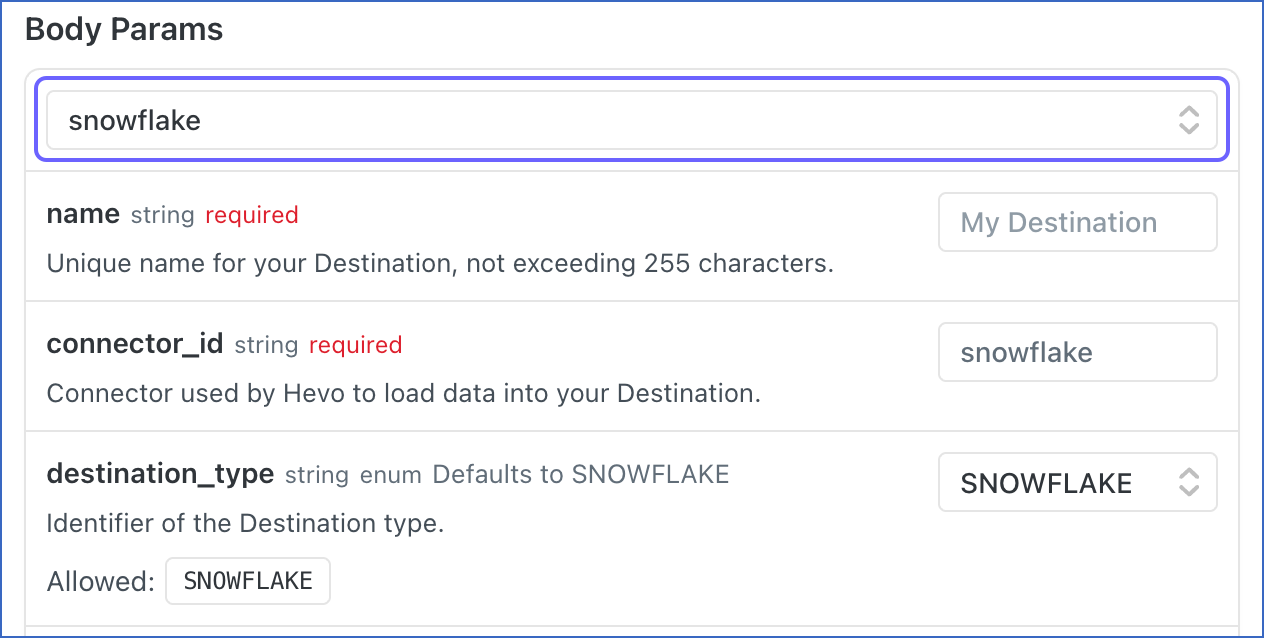
-
Specify the configuration field values based on your Destination type. The API request is simultaneously generated in the API request block to the right.
-
In the API request block, click Try it! to make the API request and create your Destination.
Once the Destination is created, you will get a response code 200 in the response block with the details of your Destination. You can also check the Hevo UI to verify that your Destination was created successfully.
Example
Here we provide the configuration steps to create a Snowflake Destination:
Tip: Ensure that the Snowflake warehouse, database, and user specified in the request already exist and have the required permissions.
-
In the Body Params section, select snowflake from the drop-down.
-
In the name parameter, specify a unique name for your Destination, not exceeding 255 characters. For example, My Destination.
-
From the config drop-down, select one of the following authentication types for your Destination:

- BASIC: Select this option to create your Destination using access credentials.
- PRIVATE_KEY: Select this option to create your Destination using a private and public key pair.
-
Specify the following fields:
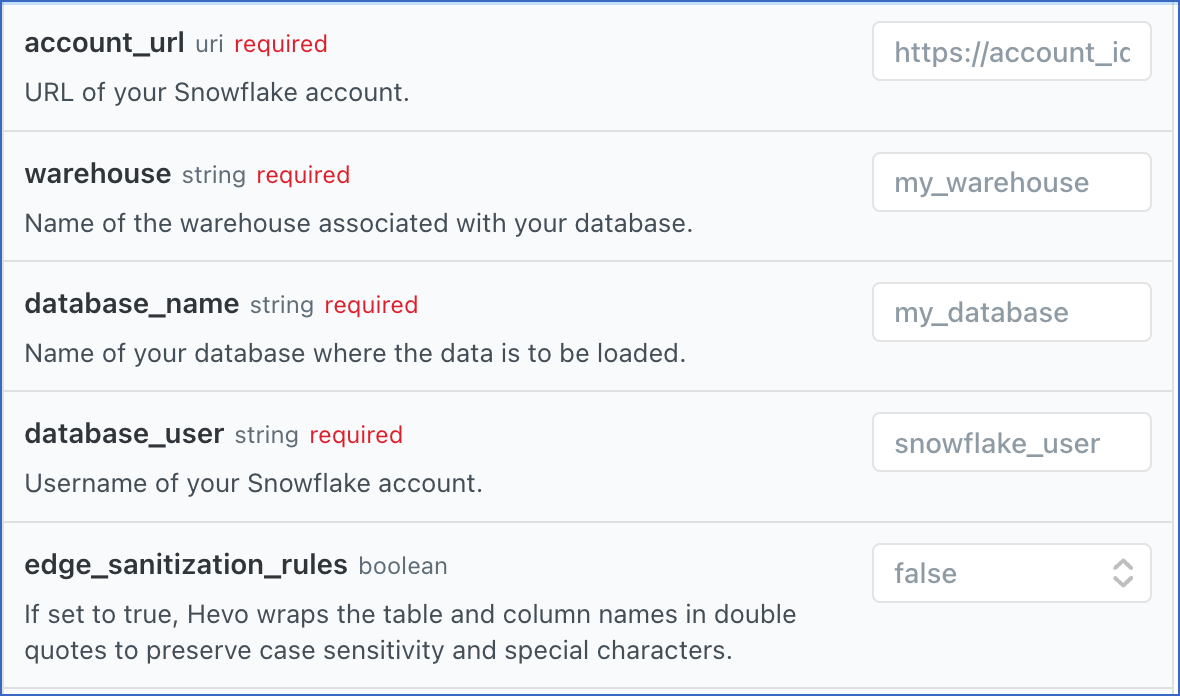
- account_url: Your Snowflake account URL. Read Obtain your Snowflake Account URL.
- warehouse: The name of the warehouse associated with your database.
- database_name: The name of the database where the data is to be loaded.
- database_user: The username of your Snowflake account.
- edge_sanitization_rules: Select true to wrap table and column names in double quotes and preserve case sensitivity and special characters. Otherwise, select false.
-
Based on the authentication type you selected in step 3, do one of the following:
-
If the authentication_type is BASIC, specify the following:
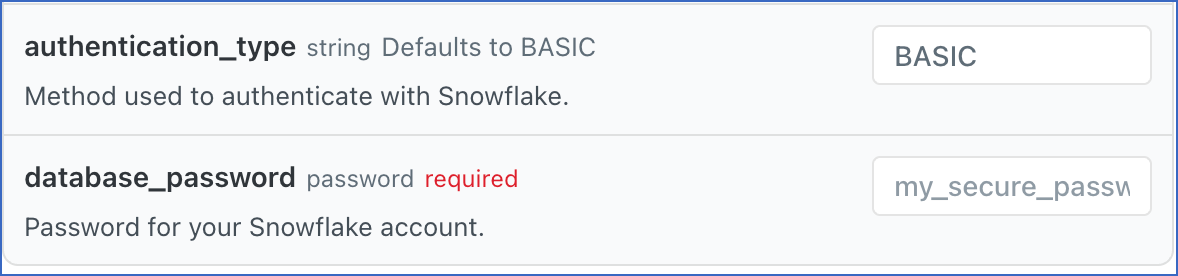
- database_password: The password for your Snowflake account.
- database_password: The password for your Snowflake account.
-
If the authentication_type is PRIVATE_KEY, specify the following:
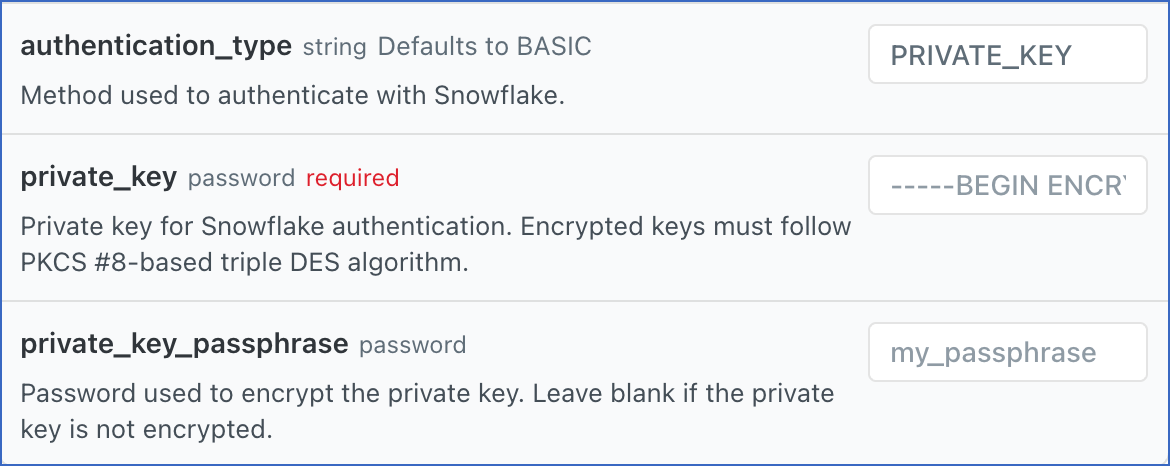
- private_key: The private key associated with the public key assigned to the Snowflake user. Include the entire private key text and ensure that the text between -----BEGIN ENCRYPTED PRIVATE KEY----- and -----END ENCRYPTED PRIVATE KEY----- does not contain any line breaks.
- private_key_passphrase: The password given while generating the encrypted private key. Leave it blank if you are using a non-encrypted private key.
-
The sample API requests for Snowflake Destination created with each of the authentication types are displayed below:
curl --request POST \
     --url https://us.hevodata.com/api/v1/destinations \
     --header 'accept: application/json' \
     --header 'authorization: Basic <auth_token>' \
     --header 'content-type: application/json' \
     --data '
{
  "name": "snowflake_dest_name", // replace "snowflake_dest_name" with a name for the Destination
  "connector_id": "snowflake",
  "destination_type": "SNOWFLAKE",
  "config": {
    "account_url": "https://account_identifier.snowflakecomputing.com",  // replace "https://account_sf.snowflakecomputing.com" with your Snowflake account URL
    "warehouse": "COMPUTE_WH", // replace "COMPUTE_WH" with your warehouse name
    "database_name": "sf_db", // replace "sf_db" with the name of your database
    "database_user": "super_user", // replace "super_user" with username of your Snowflake account
    "edge_sanitization_rules": false,
    "authentication_type": "BASIC",
    "database_password": "password" // replace "password" with the password for your Snowflake account
  }
}
'
curl --request POST \
--url https://us.hevodata.com/api/v1/destinations \
--header 'accept: application/json' \
--header 'authorization: Basic <auth_token>' \
--header 'content-type: application/json' \
--data '
{
"name": "snowflake_dest_name", // replace "snowflake_dest_name" with a name for the Destination
"connector_id": "snowflake",
"destination_type": "SNOWFLAKE",
"config": {
"account_url": "https://account_identifier.snowflakecomputing.com", // replace "https://account_sf.snowflakecomputing.com" with your Snowflake account URL
"warehouse": "COMPUTE_WH", // replace "COMPUTE_WH" with your warehouse name
"database_name": "sf_db", // replace "sf_db" with the name of your database
"database_user": "super_user", // replace "super_user" with username of your Snowflake account
"edge_sanitization_rules": false,
"authentication_type": "PRIVATE_KEY",
"private_key": "-----BEGIN ENCRYPTED PRIVATE KEY-----\nMIIFJDBWBgkqhkiG9w0BBQ0wSTAxBgkqhkiG*****************************************************************************************************************************v0j36rFX8XeKiJqh2TwBvn/v\n-----END ENCRYPTED PRIVATE KEY-----\n", // replace with the associated private key
"private_key_passphrase": "S****3" // replace with passphrase for your encrypted private key
}
}
'