
The base URL you use to interact with the Hevo API depends on the region in which your Hevo account is created. You can find your region in the URL of your Hevo account. For example, if your account is in the Asia (asia) region, the base URL in your requests would be https://asia.hevodata.com.
To send a test request from an endpoint page, select your region in the Base URL drop-down in the right bar. The default selection is based on the Hevo account you are logged in with.
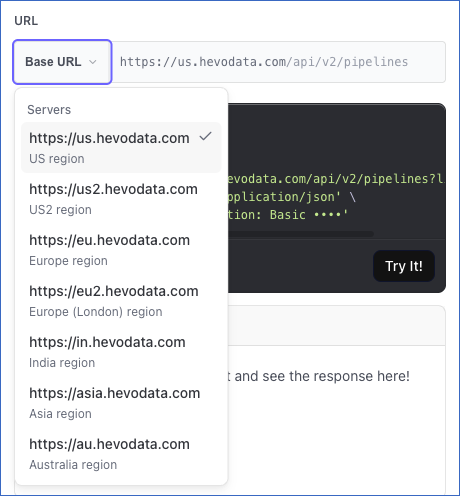
Refer to the following table to know the corresponding base URL.
| Hevo Account Region | Base URL |
|---|---|
| Asia (asia) | https://asia.hevodata.com |
| Australia (au) | https://au.hevodata.com |
| Europe Central (eu) | https://eu.hevodata.com |
| Europe West (eu2) | https://eu2.hevodata.com |
| India (in) | https://in.hevodata.com |
| US East (us) | https://us.hevodata.com |
| US West (us2) | https://us2.hevodata.com |
If you use an incorrect URL, the API response returns a
401error. Your API credentials are issued for one region, so a request sent to another region’s base URL fails authentication. A path that does not exist returns a 404 or a 405 from the gateway, without the usual error body.