
An object is an entity in your Source application or database that contains the data Hevo must fetch. For example, a table in your PostgreSQL database forms an object. After a Pipeline is created, Hevo identifies the objects in your Source, and you select the ones you want to replicate and set the load mode for each of them.
Refer to the following sections to control what a Pipeline replicates:
- Listing Objects: Read the objects Hevo identified in your Source, and the status of each one.
- Changing the Object Selection: Choose which objects the Pipeline replicates and how each one is loaded.
- Load Modes: Understand how Hevo writes an object's records into its Destination table.
- Object Groups: Understand the Sources that group objects together, and how a group decides which of its members you can select.
- Viewing the Field Mapping: Read the Source fields of an object and the Destination columns they land in.
- Tracking Replication Progress: Read the point in your Source that each object has been replicated up to.
Prerequisites
- An active Hevo account. You can start with a 14-day full-feature, free trial account.
- You are assigned the required role for the endpoint you want to use.
- You have generated your API credentials. Read Authentication for the steps to generate them.
- An existing Pipeline. Read Creating a Pipeline with Hevo API for the steps to create one.
Listing Objects
To list the objects Hevo identified in your Source, you need to call the List All Pipeline Objects endpoint. The response includes each object's name, its location in the Source, the Destination table it loads into, and its current status.
Perform the following steps to list the objects in a Pipeline:
-
Navigate to the List All Pipeline Objects endpoint.
-
In the Path Params section, specify the
pipeline_id. This is the unique identifier of the Pipeline with the objects that you want to read.
-
(Optional) In the Query Params section, specify
statusto return only the objects in the statuses you want.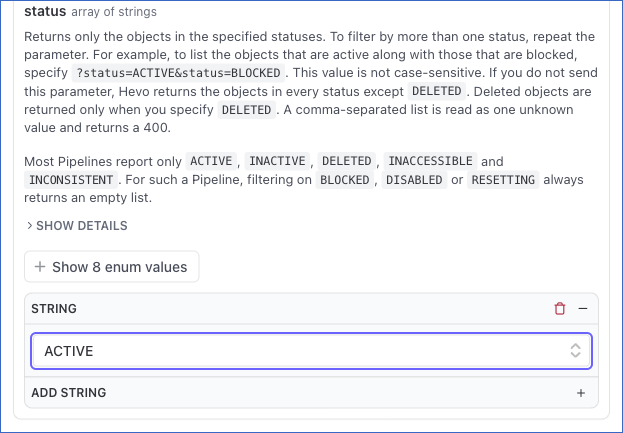
-
The API request is simultaneously generated in the cURL Request block to the right. Click Try It! to make the API request and list the objects.

For example, the following request lists the objects in the Pipeline with the id 12345:
GET /api/v2/pipelines/12345/objectsOnce the request is complete, you will get a response code 200 with one page of the Pipeline's objects.
Object Statuses
Each object in the list carries one of the following statuses:
| Status | Description |
|---|---|
ACTIVE | The object is actively being replicated. |
INACTIVE | The object is not currently selected for replication. |
BLOCKED | The object is not replicated because the schema evolution setting of the Pipeline blocks it. |
DISABLED | The object has been disabled and is not being replicated. |
DELETED | The object has been deleted from the Pipeline. An object in this status is not listed unless you specify status=DELETED. |
INACCESSIBLE | The object cannot be accessed at the Source. |
INCONSISTENT | A schema change left the object inconsistent with its Destination table, and the object is not being replicated. |
RESETTING | The object is being reset, and its data is replicated again. |
Replication Statuses
The replication field reports whether the structure of the object has been replicated to your Destination, not how its last data load went. This field may not be present for an object.
The group, child_selection_mode, selectable, resync_allowed, allow_load_mode_selection and allowed_load_modes fields may not be present for an object.
| Status | Description |
|---|---|
PENDING | One or more schema changes of the object are waiting to be replicated to the Destination. |
REPLICATED | The structure of the Destination table is up to date. |
FAILED | Replication of the object failed due to an error. |
INCONSISTENT | A schema change left the object’s schema inconsistent with the Destination. |
BLOCKED | Replication of the object to the Destination is blocked. |
CANCELED | Replication of the object was canceled and did not complete. |
The reason field explains the status. It is always present, and is null when there is nothing to report.
Hevo identifies the objects in your Source after the Pipeline is created, and the list is empty until it does. Read the list again after a short interval.
Changing the Object Selection
You can change which objects a Pipeline replicates, and how each one is loaded into the Destination.
Following are the scenarios in which you may want to change the object selection:
- You created the Pipeline in a disabled state and are choosing the objects to replicate before enabling it.
- A new object was added to your Source and you want the Pipeline to replicate it.
- You no longer need an object and want to stop replicating it to reduce the Events consumption.
- An object requires a different load mode, such as changing it to
MERGEso that existing records are updated instead of duplicated.
You must consider the following before you change the object selection:
-
The Pipeline has to be in the
InitializedorDisabledstate. A Pipeline in a transitional state returns a 409. A Pipeline in theFailedstate returns a 400, and a Pipeline that is being deleted returns a 404. An object name that the Pipeline does not have also returns a 404, and Hevo checks every name before it writes anything. -
The request is applied as a partial update. An object you do not specify keeps its current selection and load mode.
-
The request must specify at least one object, and an object may be specified only once. The
selection_modevalue is optional, is not case-sensitive, and defaults toRETAIN_EXISTING. WithINCLUDE_ALLorEXCLUDE_ALLyou can leave theobjectslist out, or send it empty. Unless the Pipeline is disabled, a request that would leave the Pipeline with no object selected, or an object with no field selected, is rejected. -
Selecting an object starts replicating it, and its historical load runs on the next Pipeline run.
-
Deselecting an object stops replication but leaves the Destination table and the data already loaded into it untouched.
-
include_fieldsandexclude_fieldscan be set only on an object withselectedset to true. -
Custom primary keys are not accepted. A request that sends
primary_keysreturns a400. Primary keys come from your Source. -
A field name that the object does not have is rejected.
A field named in both lists, or twice in one list, is also rejected, and so is a blank name. Names are matched exactly, so they are case-sensitive.
-
You may not be able to exclude a primary-key or foreign-key field. If the List All Pipeline Objects endpoint does not return the
selectablefield for an object, you can exclude a primary-key field after you set itsload_modetoAPPEND. -
The
load_modevalue must be one of the object’sallowed_load_modes, and the object’sallow_load_mode_selectionvalue must betrue.OVERWRITEis never accepted here. An object with aselectablevalue offalsecannot be selected.
Perform the following steps to change the object selection:
-
Navigate to the Manage Objects in a Pipeline (PATCH) endpoint.
-
In the Path Params section, specify the
pipeline_id. This is the unique identifier of the Pipeline with the objects that you want to change.
-
In the Body Params section, specify
selection_modeand theobjectsyou want to change. Read Selection Modes and Object Settings for the values each one accepts.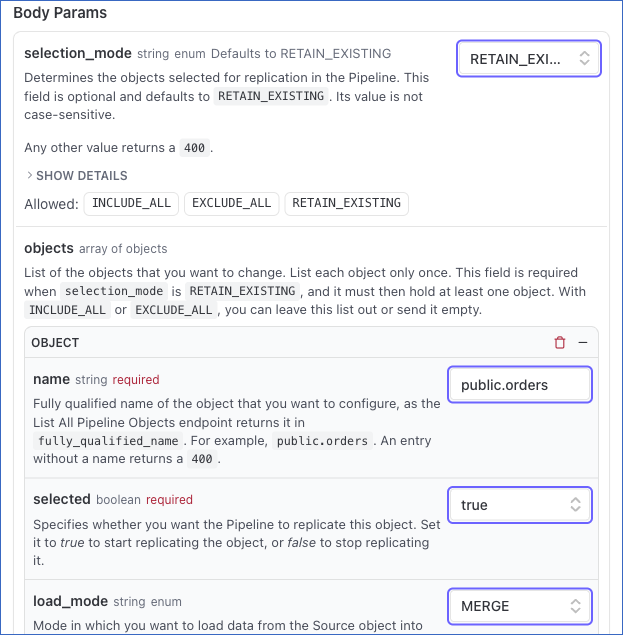
-
The API request is simultaneously generated in the cURL Request block to the right. Click Try It! to make the API request and change the object selection.
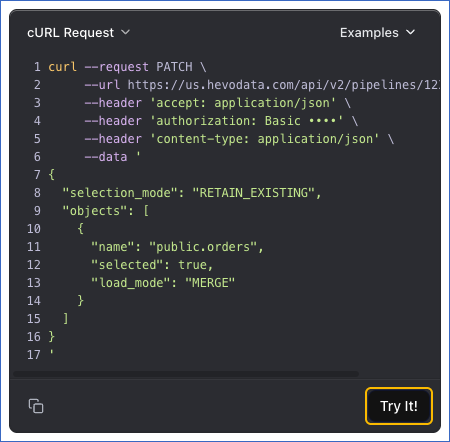
For example, the following request selects one object in the Pipeline with the id 12345 and loads it in MERGE mode:
PATCH /api/v2/pipelines/12345/objectsSend the following request body with it:
{
  "selection_mode": "RETAIN_EXISTING",
  "objects": [
    {
      "name": "public.orders",
      "selected": true,
      "load_mode": "MERGE"
    }
  ]
}
Selection Modes
The selection_mode field sets the selection of every object you do not specify in the request:
| Value | Description |
|---|---|
INCLUDE_ALL | Selects all Source objects for replication except the ones you send with selected set to false. |
EXCLUDE_ALL | Excludes all Source objects except the ones you send with selected set to true. |
RETAIN_EXISTING | Keeps the current selection without changing which objects are replicated. |
Object Settings
Each object in the objects array accepts the following settings:
| Field | Description |
|---|---|
name | The fully qualified name of the object you want to configure, as the object list returns it in fully_qualified_name, such as public.orders. Objects have no identifier in version 2, and an id sent here is ignored. An entry without a name returns a 400. |
selected | Indicates whether the Pipeline replicates this object. Set this to true to start replicating it, or false to stop. This value is required for every object you name. |
load_mode | The mode Hevo uses to load data from the Source object into the Destination table. Read Load Modes for the values it accepts. |
include_fields | The fields you want to start replicating. This list changes the current selection. A field you do not name keeps the state it has. Leaving both field lists out changes nothing. |
exclude_fields | The fields you want to stop replicating. This list changes the current selection in the same way as include_fields. |
Once the change is accepted, you will get a response code 202. If the Pipeline is in the Disabled state, it remains Disabled.
Read the Pipeline at regular intervals until its state stops changing, because a replicating Pipeline is reported as Initializing while the change is applied. Refer to Reading one Pipeline for the steps.
Note:
- If your client or proxy cannot send a
PATCHrequest, send the same request body as a POST request to the Manage Objects in a Pipeline (POST) endpoint. - In version 1, call the Manage Objects in a Pipeline endpoint instead. Version 1 takes a different request body. It names the objects in
include_objectsandexclude_objectsalongsideselection_mode, rather than in a singleobjectsarray, and it does not accept a load mode or field selection for each object.
Load Modes
The load mode sets the method Hevo uses to write an object's records into its Destination table:
| Mode | Description |
|---|---|
APPEND | New records are added at the end of your Destination table without modifying or deleting any existing data. |
MERGE | Existing records are updated based on their primary keys, and new records are added to your Destination table if no match is found. |
HISTORY_TRACKING | Each change is kept as a separate row, so the Destination table contains the history of the record rather than only its current state. |
An object inherits the Pipeline's load mode unless you set one on the object.
Object Groups
Some Sources group related objects into a parent object and its child objects. The parent object decides when its child objects can be selected. An object returns its parent object in group, and the rule that its parent object applies in child_selection_mode:
| child_selection_mode | Description |
|---|---|
AUTO_FOLLOW_HEAD | Selecting the parent object automatically includes all its child objects for replication, and deselecting it excludes them. You can still name a child object, as long as you give it the same selection as its parent, to change its load mode or its fields. |
REQUIRE_HEAD_SELECTED | A child object can be selected only while its parent object is selected. You can select the parent object in the same request. Deselecting the parent object also deselects all of its child objects. |
Read group, child_selection_mode, and selectable on an object before you change its selection, so that you know the rule that applies to it. For example, an object that returns conversation_thread in group and AUTO_FOLLOW_HEAD in child_selection_mode is a child object of conversation_thread. To replicate it, you select the conversation_thread object instead, and Hevo includes that object along with every other child object of conversation_thread.
A request that changes a child object's selection on its own is rejected, and the response names the parent object to select instead. Objects are named by their fully qualified name.
If the List All Pipeline Objects endpoint does not return the selectable field for an object, you may not be able to name its child objects in the request. In that case, change the parent object instead, and the child objects take its selection.
Viewing the Field Mapping
To read one object with its field mapping, you need to call the Get Details of a Pipeline Object endpoint.
Perform the following steps to view the field mapping:
-
Navigate to the Get Details of a Pipeline Object endpoint.
-
In the Path Params section, specify the
pipeline_idand theobject_name, which is the object’s fully qualified name. Read Listing Objects for the steps to find the fully qualified name.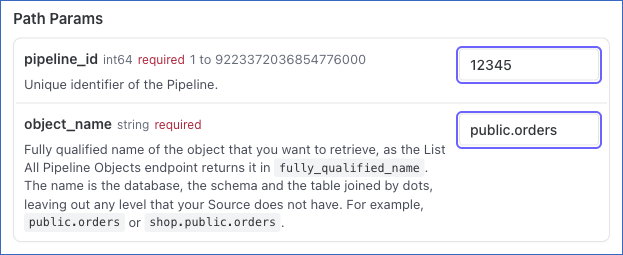
-
The API request is simultaneously generated in the cURL Request block to the right. Click Try It! to make the API request and read the object.
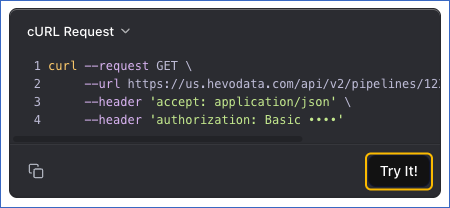
For example, the following request reads one object in the Pipeline with the id 12345:
GET /api/v2/pipelines/12345/objects/public.ordersOnce the request is complete, you will get a response code 200 with every Source field, the Destination column it maps to, the data type in the Source and in the Destination, and whether the field is part of the primary key. Each field returns source_name, source_type, destination_name, destination_type, status, primary_key, foreign_key, selected and selectable.
Tracking Replication Progress
Hevo maintains a position for each object to identify the point up to which its data has been replicated from the Source. To read the position of every active object in a Pipeline, you need to call the Get Replication Position of a Pipeline endpoint.
Perform the following steps to read the replication position:
-
Navigate to the Get Replication Position of a Pipeline endpoint.
-
In the Path Params section, specify the
pipeline_id. This is the unique identifier of the Pipeline with the objects that you want to read.
-
The API request is simultaneously generated in the cURL Request block to the right. Click Try It! to make the API request and read the replication position.
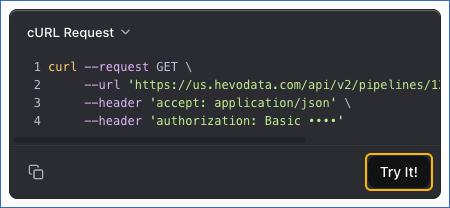
For example, the following request reads the replication position of the objects in the Pipeline with the id 12345:
GET /api/v2/pipelines/12345/positionOnce the request is complete, you will get a response code 200 with the position of each active object. The format depends on the Source type. A PostgreSQL, MySQL or Oracle Source returns the UTC time of the last change that Hevo replicated, such as Aug 27, 2026 13:05 UTC for PostgreSQL and Aug 27, 2026, 13:05 UTC for MySQL and Oracle, and a SQL Server Source returns its commit and change log sequence numbers.
The position field is null for an object that has not been ingested yet, and for every object in the response when the position is temporarily unavailable. The request still succeeds, so read it again after a short interval.
Each object replicates independently, so a Pipeline has no single overall position.