
You can delete a Destination when you no longer load data into it, or when you are replacing it with a Destination that uses different configuration details.
Deleting a Destination also deletes every Pipeline that loads data into it, along with the Source of each Pipeline. None of them can be restored.
You may want to delete a Destination in the following scenarios:
- The database or data warehouse it loads data into is no longer in use.
- You created it for testing and no longer need it.
- You are replacing it with a Destination that uses different configuration details.
If you may need the Destination again, consider whether the Pipelines that load data into it can be disabled instead. Disabling a Pipeline stops replication but keeps the Destination and its data in place. Read Disabling a Pipeline for the steps.
You must consider the following before you delete a Destination:
- If one or more Pipelines load data into the Destination, the request returns a 409 error listing the Pipelines that Hevo deletes along with it. The error names up to ten Pipelines, followed by a count of the remaining ones. To see all of them, call the List All Pipelines endpoint with the
destination_idquery parameter. To continue, send theconfirm_overridequery parameter set to true. If no Pipeline loads data into the Destination, Hevo deletes it without asking for confirmation. Theconfirm_overrideparameter defaults tofalse, and the 409 counts only the Pipelines in the region of the base URL you call. - The tables in your Destination are not deleted. Drop them yourself if you no longer need the data.
- The response returns the Destination in the
DELETINGstatus. Once the request is accepted, the Destination is no longer visible through the API, and retrieving or deleting it again returns a404error.
Prerequisites
- An active Hevo account. You can start with a 14-day full-feature, free trial account.
- You are assigned the Team Administrator, Pipeline Administrator, or Team Collaborator role in Hevo.
- You have generated your API credentials. Read Authentication for the steps to generate them.
Deleting the Destination
To delete a Destination, you send its destination_id in the path. You get this value from the List All Destinations endpoint, and send the delete request from the Delete a Destination endpoint. Perform the following steps to delete a Destination:
-
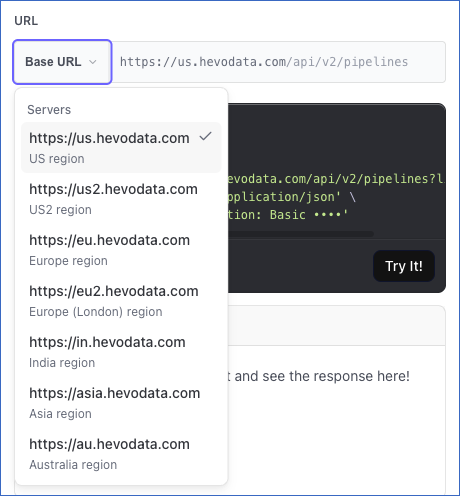
Select your Hevo account region from the Base URL drop-down.
-
If not already authenticated, enter the following details in the CREDENTIALS section:
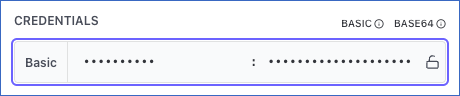
- username: The Access Key that you generated for your Hevo account region.
- password: The Secret Key that you generated for your Hevo account region.
Read Generating your API Credentials for the steps to generate them.
-
Call the List All Destinations endpoint to get the
destination_idof the Destination you want to delete. -
Navigate to the Delete a Destination endpoint.
-
In the Path Params section, specify the
destination_id. This is the unique identifier of the Destination you want to delete.
-
(Optional) In the Query Params section, you can set
confirm_overrideto true. Do this only if Pipelines load data into the Destination and you want Hevo to delete them, along with their Sources.
-
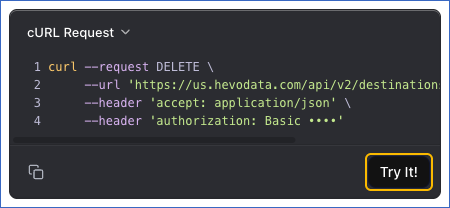
The API request is simultaneously generated in the cURL Request block to the right. Click Try It! to make the API request and delete your Destination.
-
If you get a 409 error, review the Pipelines it lists. To delete the Destination and those Pipelines, set
confirm_overrideto true and send the request again.
Once the deletion is accepted, you will get a response code 202 in the response block with the Destination in the DELETING status.
The following example deletes a Destination along with the Pipelines that load data into it:
curl --request DELETE \
  --url 'https://us.hevodata.com/api/v2/destinations/46?confirm_override=true' \
  --header 'accept: application/json' \
  --user '<ACCESS_KEY>:<SECRET_KEY>'